Open wiqo and you know what today looks like.
Your players' fixtures, your trips and meetings, what's pending and how your deals are going. All on the first screen, without searching for anything.
By invitation · Limited spots · No commitment · Confidential
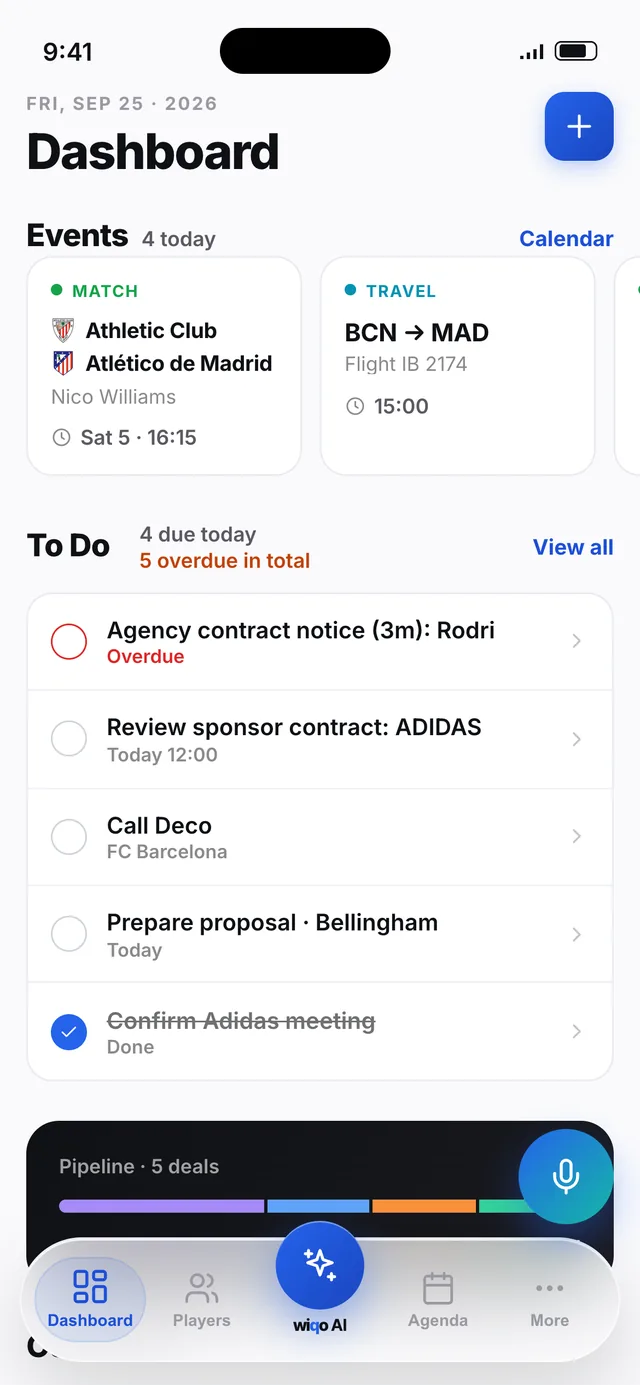
- Fixtures added automatically
- Overdue items in red, in plain sight
- Your deals by stage, at a glance
- Contracts expiring club, agency and sponsorship
Everything that matters, top to bottom.
-
01
Today's events
Your players' fixtures are added automatically, with both teams, the kick-off time and the player. Your trips and meetings sit right next to them. Swipe to see them all.
-
02
To Do: what's on today
Today's tasks and anything overdue, in red so nothing slips. Tick it off with one tap.
-
03
Your deals, by stage
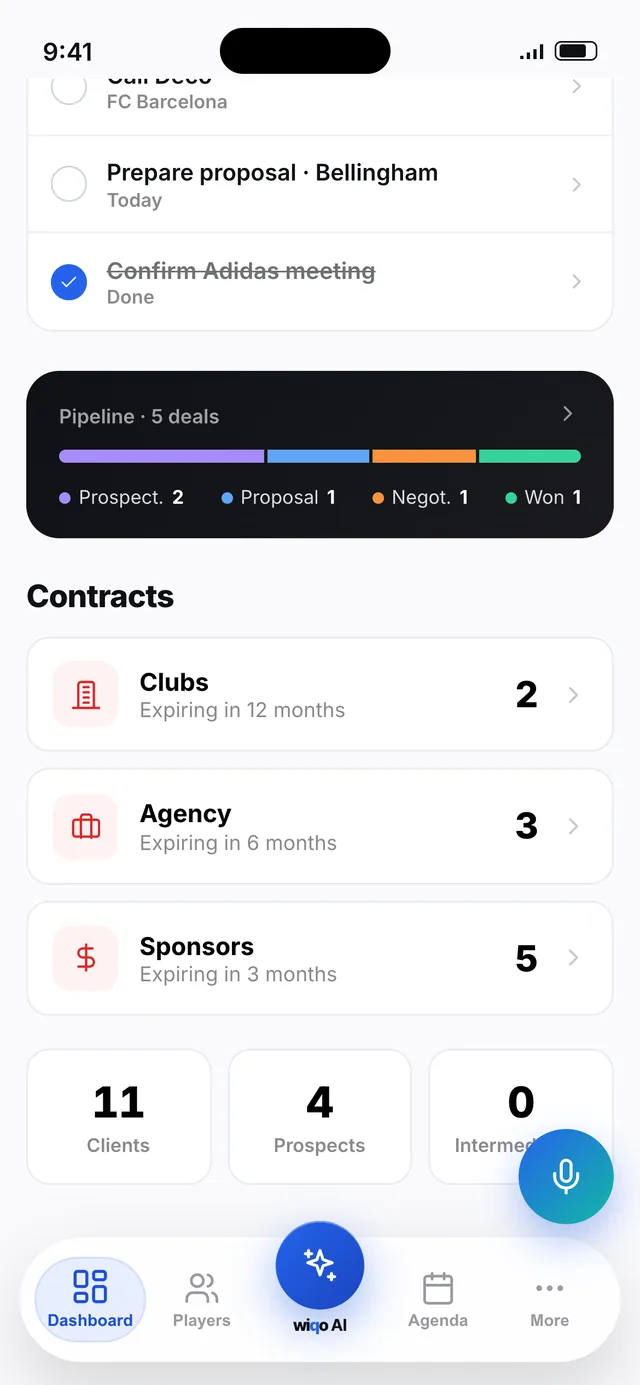
How many you have in Prospecting, Proposal, Negotiation and won. One tap takes you into each one.
-
04
Contracts about to expire
An indicator of contracts about to end: club contracts within 12 months, agency within 6 months and sponsorship within 3 months. Contract expiry alerts are separate, and you choose how far ahead you get them.
-
05
Your portfolio, in numbers
Your Client, Prospect and Intermediation players, always up to date.
-
06
Create from the + button
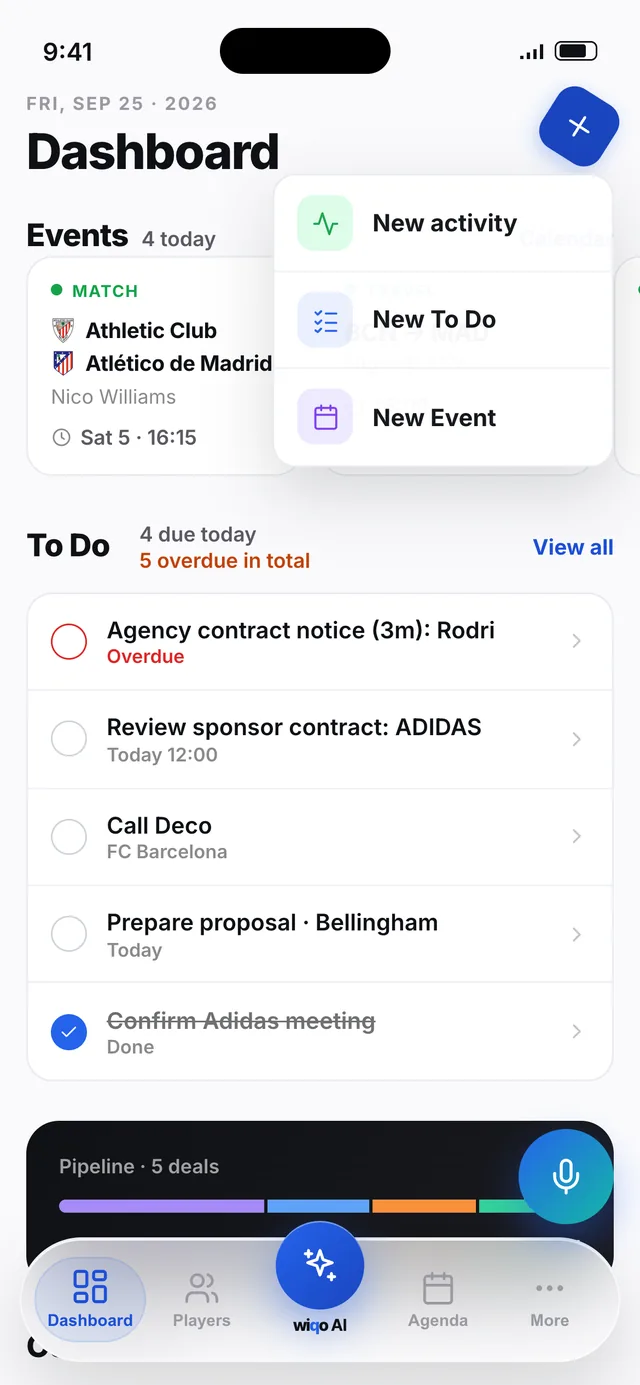
An activity, a to-do or an event without leaving the dashboard. Or tap the mic and tell wiqo.
wiqo keeps you organised.
Calendar and to-dos, in one place.
Every day with its fixtures, trips, calls and tasks. Your player's match is Saturday at 16:15 and it's already there.
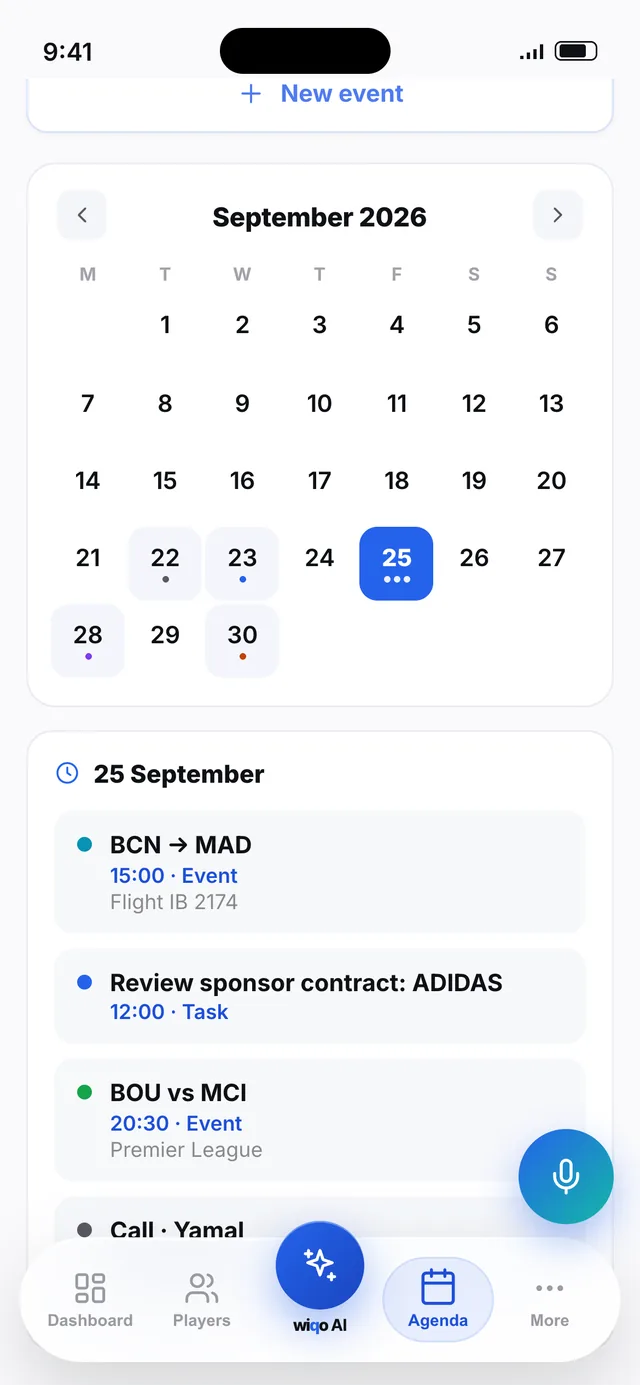
Added automatically.
Your players' matches, with time and competition.
What you say shows up here.
The tasks and events you create by talking.
What's expiring, at a glance.
Clubs within 12 months, agency within 6 months and sponsorship within 3 months.
Stays visible.
Overdue items stay in red until you deal with them.
The same dashboard.
Always in sync.
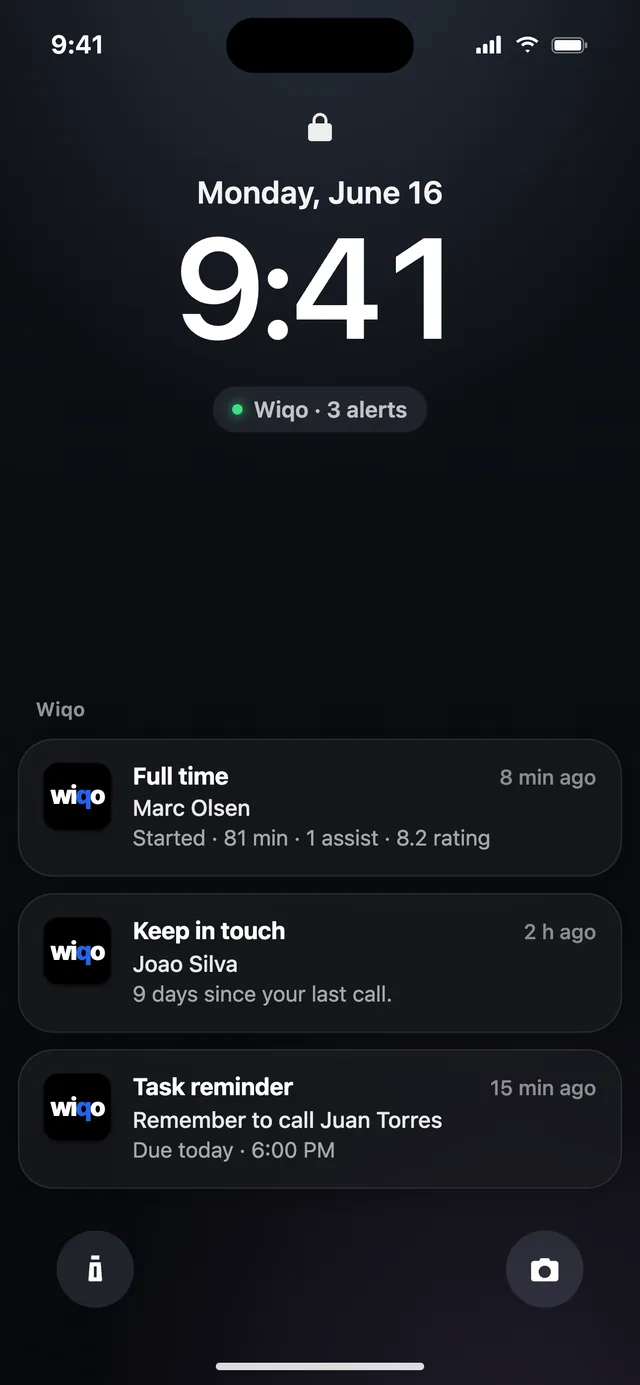
And when you're not looking, it lets you know.
Full time
Your player's minutes, goals, assists and rating as soon as the match ends.
Marc Olsen · Starter · 81 min · 1 assist · 8.2
Stay in touch
If you haven't spoken to a player for a while, wiqo reminds you.
Joao Silva · 9 days since the last call
Pending to-do
What's due today, right on time.
Call Juan Torres · due today at 18:00
What people ask most about the dashboard.
Do I have to set up the dashboard?
No. It's built from what you already have in wiqo: your players, their fixtures, your tasks and your deals.
Where do the fixtures come from?
From your players' competitions. They're added to your calendar automatically, with the time and the competition.
Can I see other days?
Yes. From Calendar you can open any day of the month with its events and tasks.
How are tasks created?
With the + button, from the To Do tab or by talking with voice reports. Contract expiry alerts are created automatically, as far ahead as you choose.
Does it work on mobile and desktop?
Yes, on both, and everything stays in sync.
Improve your quality of life.
Multiply your deals.
Access is by invitation. Leave us your details and we'll let you know.
Request accessBy invitation · Limited spots · No commitment · Confidential